
 Character Options
 LEGO
LEGO Flair Leisure
 Hasbro
 Mattel
 MGA
MGA Moose
Moose Spin Master
 Vtech Electronics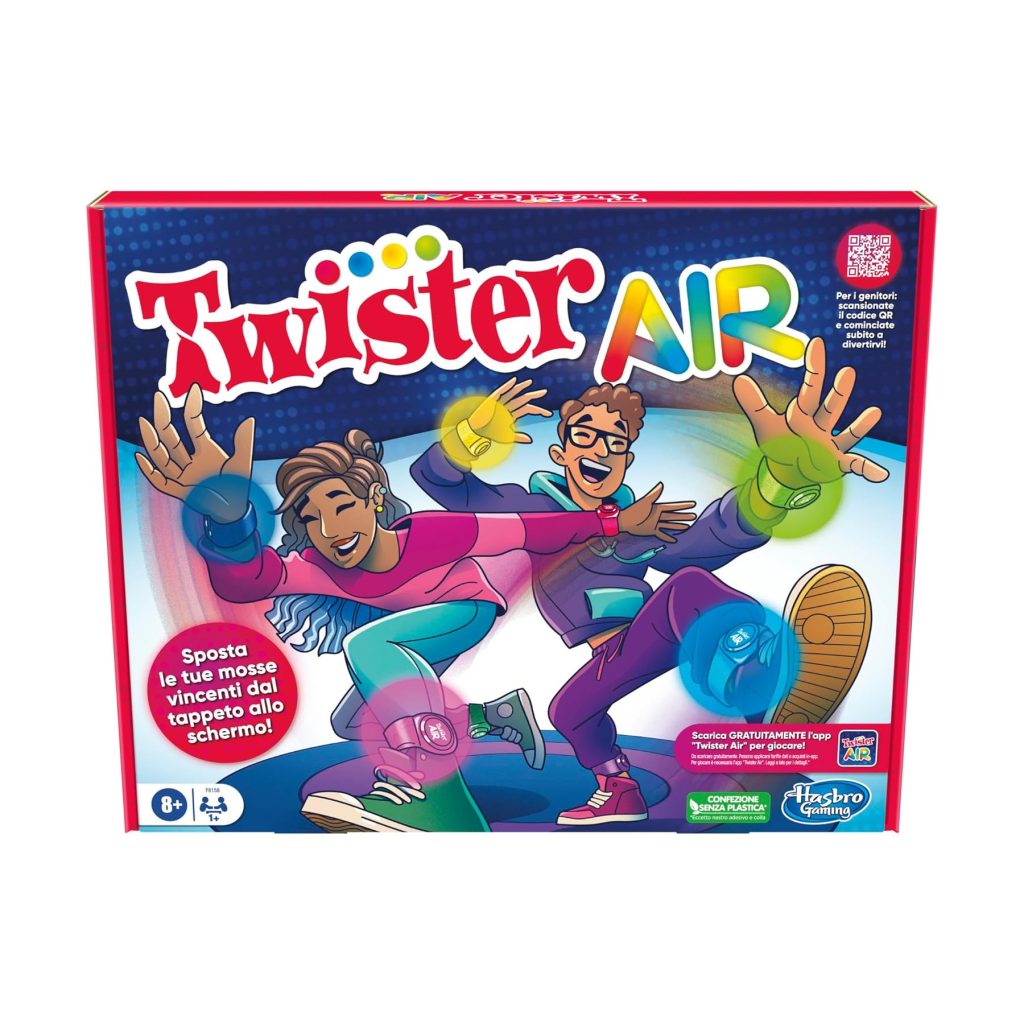
Twister Air Parent Guide
Twister Air Parent Guide
This Twister Air Parent Guide provides calm, practical support for parents covering setup, suitability, safety and troubleshooting. For full product details, visit our main Twister Air page, or explore hands-on impressions in our Twister Air review. The aim is to help families enjoy a smooth, confident introduction to this movement-based digital twist on the classic game.
What’s in the Box
Twister Air typically includes coloured wrist and ankle bands, a device stand, a quick-start guide and access to the Twister Air app. The game blends physical motion with on-screen prompts, encouraging children to match coloured markers with moving shapes on the screen. Some versions may include spare bands or additional colour sets. Parents seeking information about related releases can explore the Hasbro page. Before beginning, ensure the play area is clear and that your smart device fits securely into the stand.
How It Works
Twister Air uses motion tracking through a smart device’s camera. Players attach coloured bands to their wrists and ankles, stand in front of the screen and follow prompts that appear during the game. These prompts instruct players to move specific limbs into matching coloured zones, earning points for accuracy and speed. The Twister Air Parent Guide supports parents by explaining that clear lighting and correct camera distance are essential for smooth tracking. Children usually find the rhythm quickly, especially once they understand how the app detects colour movement.
Setup, Space & Batteries
A compatible smart device is required. Parents should install the app beforehand and allow any necessary updates. Charge the device fully to avoid interruptions. The game needs a clear area with enough room for safe, expressive movement—ideally a living room or open hallway. Remove nearby obstacles such as coffee tables, stools or loose rugs. Strong lighting ensures accurate motion tracking, so brighten the room if needed. No traditional batteries are required for the game, though parents may wish to keep a device charger on hand for extended sessions.
Best Age Range & Suitability
Twister Air suits children in early primary school upwards, particularly those who enjoy energetic play, rhythm games and silly challenges. It appeals to children who enjoy competing for high scores or copying on-screen prompts. Families who appreciate movement-based games will find Twister Air a refreshing alternative to sedentary screen activities. Younger children may need help positioning themselves for the camera and understanding how limb bands work. The game also suits group play, where children take turns competing for the best score.
Safety Notes
Because Twister Air involves whole-body movement, play should occur in a spacious and clutter-free environment. Parents should supervise younger children to ensure they don’t slip on hard floors or bump into furniture. The coloured bands should be worn comfortably—not too tight—and removed immediately if irritation occurs. Children should take breaks to avoid fatigue, especially during longer sessions or higher-intensity songs. Keep the smart device firmly positioned on the stand to prevent it from falling during energetic movement. Pets should be kept out of the play zone to avoid accidental collisions.
Durability, Cleaning & Storage
The wrist and ankle bands are built for repeated stretching and movement but should not be pulled excessively or twisted during play. Clean bands with a lightly damp cloth and mild soap if needed, then air dry fully. The device stand should remain stable on a flat surface and wiped occasionally to remove dust. The game itself is app-based, so no physical components require intricate maintenance. Store bands together in a small pouch to avoid misplacing colours, and place the stand somewhere accessible for easy setup in future sessions.
Common Issues & Troubleshooting
If the app struggles to track movement, check lighting levels, ensure the device camera is unobstructed and confirm children stand within the recommended distance. If colours do not register, reposition bands so they face the camera more clearly. Should the app appear laggy, closing background apps or restarting the device often improves performance. If children move too quickly, the app may miss certain motions, so a short demonstration of smooth, deliberate movements helps. When two players stand nearby, ensure only one is visible to the camera during a turn to avoid mixed signals.
Tips
Parents can support children by adjusting lighting, demonstrating band placement and setting a safe boundary for energetic movements. The Twister Air Parent Guide also suggests practising a warm-up round to help children understand body positioning before playing competitive modes. Encourage players to celebrate small wins, such as beating a previous score or maintaining rhythm through a difficult sequence. Rotating players between rounds prevents fatigue and keeps excitement high during group sessions. Younger siblings can join by acting as “score announcers” or “movement coaches,” creating a collaborative family experience.
Alternatives
Families who enjoy Twister Air may appreciate other movement-based games that use rhythm, dancing or gesture prompts. Traditional Twister offers a tactile alternative with floor-based challenges. Children interested in tech-driven games may prefer titles that use augmented reality or simple motion tracking. For families aiming for lower-intensity play, cooperative board games or indoor scavenger hunts offer fun without energetic jumping or stretching.
Quick FAQs
Does Twister Air require Wi-Fi?
Some features may; check the app setup instructions.
Do children need strong drawing or gaming skills?
No—just the ability to follow movement prompts.
Why isn’t the camera recognising the bands?
Lighting or distance may need adjusting.
Is it suitable for younger children?
With close supervision and simplified movements.
Where can parents find more guidance?
Visit our Twister Air page.
Where Next?
For product details, visit the main Twister Air page.
For hands-on insights, explore our Twister Air review.
Some links on our site are affiliate links. If you buy through them, we may earn a small commission — at no extra cost to you. 🎄