
 Character Options
 LEGO
LEGO Flair Leisure
 Hasbro
 Mattel
 MGA
MGA Moose
Moose Spin Master
 Vtech Electronics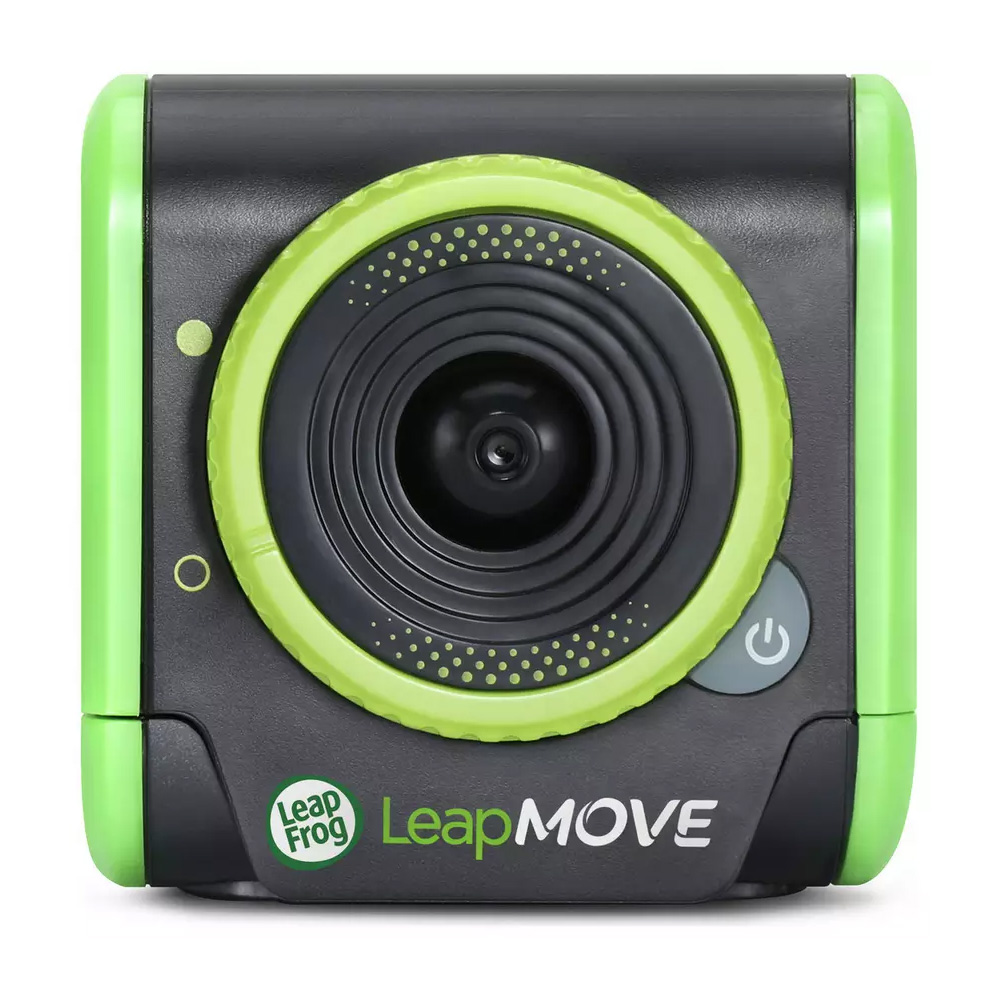
Leapmove Electronic Game Parent Guide
Leapmove Electronic Game Parent Guide
Leapmove Electronic Game Parent Guide helps parents understand how this motion-based activity toy works, what children gain from it, and how to set it up confidently at home. This guide covers movement detection, play patterns, space considerations, safety, troubleshooting, cleaning and suitability so families know exactly what to expect before and after unboxing. The goal is to support smooth, frustration-free engagement while helping children enjoy active play in a structured, manageable format.
What’s in the Box
The Leapmove Electronic Game typically includes the main motion-recognition unit, built-in speakers, a sensor panel, mode-selection buttons and an instruction leaflet. The unit is lightweight and designed to be placed on the floor or low table, depending on how children prefer to interact with it. Many versions feature activity prompts, movement challenges, music responses and on-device indicators that help guide children through different routines.
Parents who want manufacturer context can explore the Leapfrog brand page. Understanding the wider Leapfrog range helps families decide how the Leapmove complements other learning toys, particularly those that develop gross motor skills, rhythm awareness and early problem-solving.
How It Works
While developing this Leapmove Electronic Game Parent Guide, we focused on how children respond to the interactive prompts. The unit uses sensors to detect hand waves, foot taps or body movements depending on the specific mode. Children are guided through actions such as stepping, jumping, waving or balancing. When they perform the correct movement, the device typically responds with lights, sounds or progression to the next step.
The simplicity of the interface encourages independent play. Children quickly understand that certain movements trigger different reactions, and over time they start experimenting to see how their actions affect the game. This structure promotes coordination, listening skills and body awareness. Some modes involve music-led sequences, encouraging rhythm and timing; others focus on directional movement, supporting spatial understanding.
Setup, Space & Batteries
Setup is straightforward. Parents should install fresh batteries before first use, as low battery levels can affect sensor accuracy or reduce audio volume. Once batteries are inserted, the game can be placed on a flat, open area free from clutter. The device should be positioned so children have enough space to move safely without bumping into furniture.
A non-slip surface such as a rug or play mat helps keep the unit in place during active sessions. When using foot-based modes, ensure children are wearing comfortable shoes or socks with grip. No pairing, app connection or calibration is typically required—children can select a mode and begin moving immediately.
Best Age Range & Suitability
The Leapmove Electronic Game is generally suitable for children aged 3 and up who enjoy movement-based play. Younger children benefit from the simple prompts and predictable rhythms, while older children enjoy the more challenging sequences and timed-response activities. Because the game encourages active movement, it supports energy release during indoor play and can be used as a structured alternative to free running or jumping.
The toy works well in homes with mixed-age siblings. Older children often guide younger ones, demonstrating movements and turning play into a shared routine. Children who enjoy music, dancing or following physical instructions typically engage deeply with the Leapmove, while those who prefer independent imaginative play may still enjoy the music and simplified activity modes.
Safety Notes
Parents should ensure the play space is free of obstacles to prevent tripping or collisions. Younger children may need supervision to avoid overextending movements or stepping onto the device accidentally. The game should be kept away from wet surfaces, as moisture can affect the sensors and internal electronics.
Because some activities involve jumping or fast movements, children should wear appropriate footwear and have adequate clearance behind and beside them. The device should not be placed near stairs, edges or elevated platforms where movement may become unsafe.
Durability, Cleaning & Storage
The Leapmove unit is designed to withstand typical bumps, taps and interactions that come from active indoor play. The sensor areas are reinforced, and the buttons are built for repeated pressing without sticking. However, the device should not be thrown, dropped from height or stepped on intentionally, as the internal electronics may become misaligned.
Cleaning the device requires a soft, slightly damp cloth. Avoid using abrasive cleaners or excessive moisture. For storage, keep the Leapmove unit in a cool, dry area, ideally in a location where children can access it independently when they want to initiate movement play. Removing batteries during longer breaks helps prevent corrosion and extends the life of the toy.
Common Issues & Troubleshooting
Sensors not responding: Ensure the room is well lit, reposition the unit on a flat surface, and check that no objects are blocking the sensor window. Replacing batteries often restores responsiveness.
Movement not recognised correctly: Encourage children to perform motions directly above or in front of the sensor. Fast or wide movements may not register as accurately as steady, focused actions.
Volume too low or inconsistent: Replace batteries or check that the speaker grille is free from dust or debris.
Tips
This Leapmove Electronic Game Parent Guide is particularly useful for creating structured movement routines at home. Parents can encourage children to complete a short “movement session” before quiet activities such as reading or drawing, helping regulate energy levels and support attention.
Introducing variations—such as playing on different surfaces, adjusting distance from the sensor or combining Leapmove time with simple verbal challenges—keeps engagement high. Parents can also use the device to support coordination practice or to create mini-games such as “copy the movement” or timed challenges.
Alternatives
Families who enjoy this type of interactive movement toy may also like dance mats, motion wands or rhythm-following games. These offer similar benefits in body awareness, listening skills and coordination.
If your child prefers quieter activities, consider tactile learning toys, sound-based puzzles or Leapfrog tablets that promote cognitive development through problem-solving. For outdoor alternatives, simple sports equipment or movement-based obstacle kits provide active play without electronics.
Quick FAQs
Does it require batteries?
Yes. Fresh batteries ensure accurate sensor performance.
Is it suitable for younger children?
Yes, though supervision helps them learn how to follow movement prompts safely.
Does it need Wi-Fi or apps?
No. The toy works entirely on its own.
Does this help with physical development?
Yes. The game promotes coordination, balance and gross motor skills.
What does the Leapmove Electronic Game Parent Guide explain?
Setup, safety, troubleshooting, durability and practical play tips.
Where Next?
Explore full product details on the Leapmove Electronic Game page.
For extended observations and hands-on notes, visit the Leapmove Electronic Game Review.
Some links on our site are affiliate links. If you buy through them, we may earn a small commission — at no extra cost to you. 🎄